Anki alternatives for medical students 2026, 5 tools to add
Keep free Anki for spaced review, then add a question bank or short daily case app for practice, with prices checked in November 2026.
Anki alternatives for medical students are complements, not replacements: for most, keep free Anki for spaced review and add a question bank or a short case; Anki desktop is free. Checked November 13, 2026.
We make Diagnosica, an AI patient simulator with a two-minute quick case, so we have a stake. We don't make a flashcard app. Every other tool here is described from its own public page as checked on November 13, 2026.
Key takeaways
- Install AnkiDroid or desktop Anki for free spaced review.
- Add a 2 minute loop: Diagnosica quick case gives 5 clues to guess the diagnosis.
- Start Diagnosica on the free tier, no card needed, and keep Anki alongside.
Anki alternatives for medical students at a glance, with prices
Anki remains the free benchmark on desktop and Android for spaced review. Most tools here either replace the card app or sit beside it. Use the table to match the job and price.
Quick compare by role and US pricing as of November 2026:
Tool | What it is | Price (US, as of Nov 2026) | Best for |
|---|---|---|---|
Spaced repetition flashcards | Desktop and Android free; iPhone $24.99 one-off | Free spaced review on desktop and Android | |
Notes and flashcards in one app | Free; Pro $8/mo ($96/yr); Pro with AI $18/mo ($216/yr) | Notes and cards together | |
Flashcard app, no sign-up needed | Free; Pro $5/mo billed annually | Free cards without an account | |
Flashcards with spaced repetition | Free; Pro $7.99/mo | 2,500 pre-loaded flashcards on the free plan | |
Medical library plus question bank | $19.99/mo billed monthly | Questions beside your deck (50 a month on monthly) |
Pick by format and price, and keep Anki for spaced review. A way to turn a flashcard fact into a two-minute case sits beside all of these, covered further down.
Why Anki still wins at spaced review
Anki still wins at spaced review because it's free on desktop and Android and uses active recall and spaced repetition. Keep it as your memory backbone, then add practice for reasoning.
Anki's desktop is free on all major platforms, and AnkiDroid on Android is free. AnkiMobile on iPhone costs $24.99 one time as of November 2026 per the AnkiMobile App Store listing, and the desktop's current version is 26.09.4 as of November 2026.
Cards ask for a single fact without context and rarely make you weigh findings. That's our reading, not a study finding, and why you should add context practice rather than replace spaced review. Anki uses active recall and spacing per the Anki manual, with more on mechanisms in retrieval practice in med school and how spacing keeps facts.
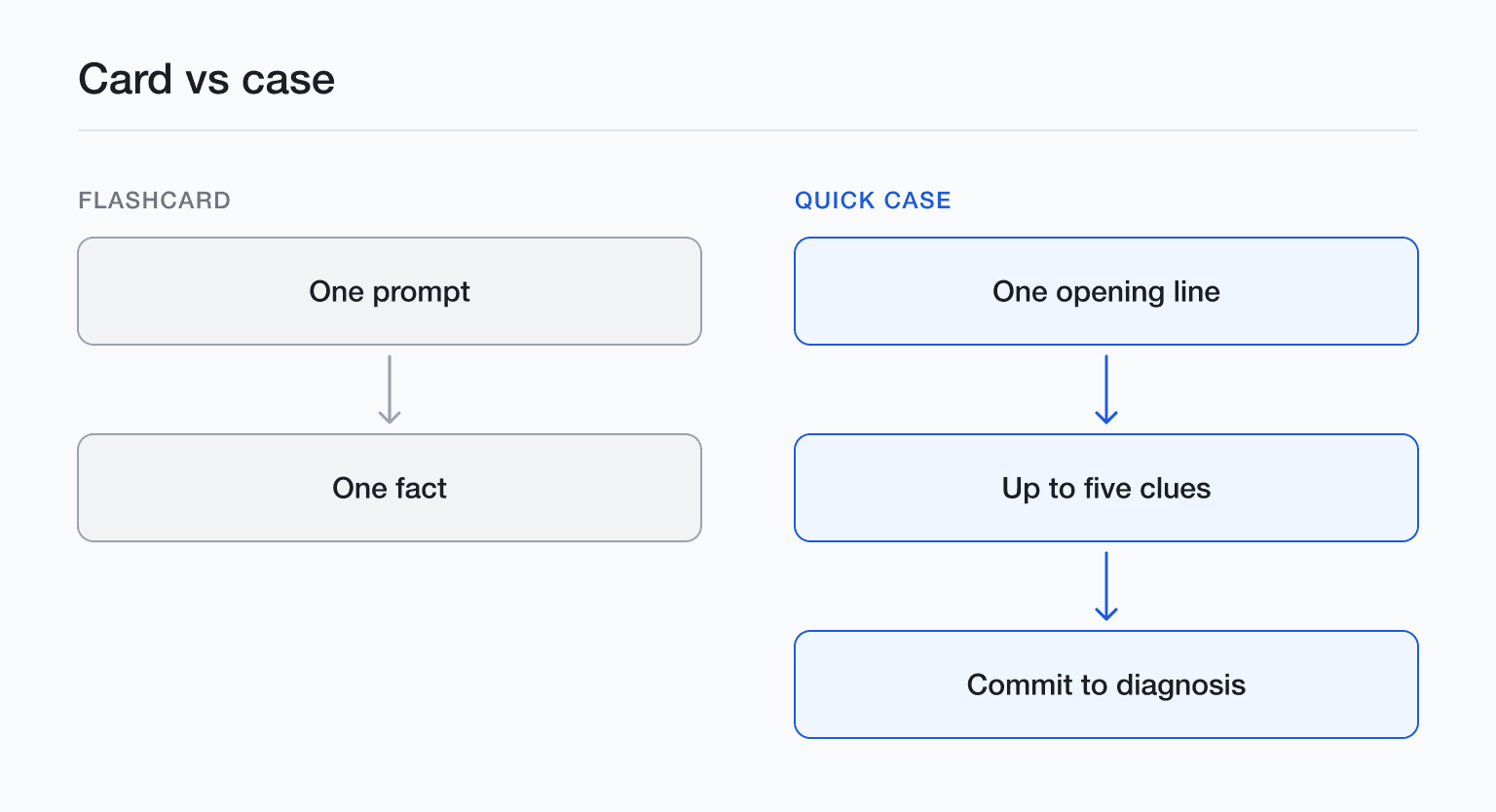
A card checks one fact. A case asks you to use several.
A card checks one fact, while a case makes you use several together.
AMBOSS: put questions beside your deck
AMBOSS is a question bank to add beside Anki because vignettes make you apply facts, and AMBOSS even links Anki to its Qbank with an add-on that recommends questions for your flashcards.
On the Monthly Membership at $19.99 a month, billed monthly, as of November 2026, AMBOSS includes 50 Qbank questions a month and a 5 day free trial. That plan caps the Qbank at 50 questions a month. See the AMBOSS pricing page and AMBOSS plans in detail. That fits a deck-first workflow when you want vignettes without overcommitting.
Its Anki add-on gives pop-up explanations and, in their words, "Receive AMBOSS Qbank recommendations for your Anki flashcards." Details are on the AMBOSS Anki add-on page. If you're scanning alternatives, we compare other question-bank tools at iatroX alternatives compared. Linking cards to vignettes keeps practice contextual instead of isolated prompts.
A two-minute case: recall inside a clinical story
Diagnosica's quick case is not a flashcard app; it is a two minute mini case where you name the diagnosis from up to 5 clues, so facts from your deck get used in context.
One opening line from the patient kicks it off. You see up to five clues, one at a time, and guess after each. Then you see the answer with a one line teaching point, and a streak keeps your daily habit. More options sit in the daily practice apps for medicine roundup.
It has no spaced repetition scheduler and does not replace Anki, it sits beside your deck. It's free to start, no card needed. Full cases use an AI patient on video. As an add-on, it pressures recall from facts to a differential.
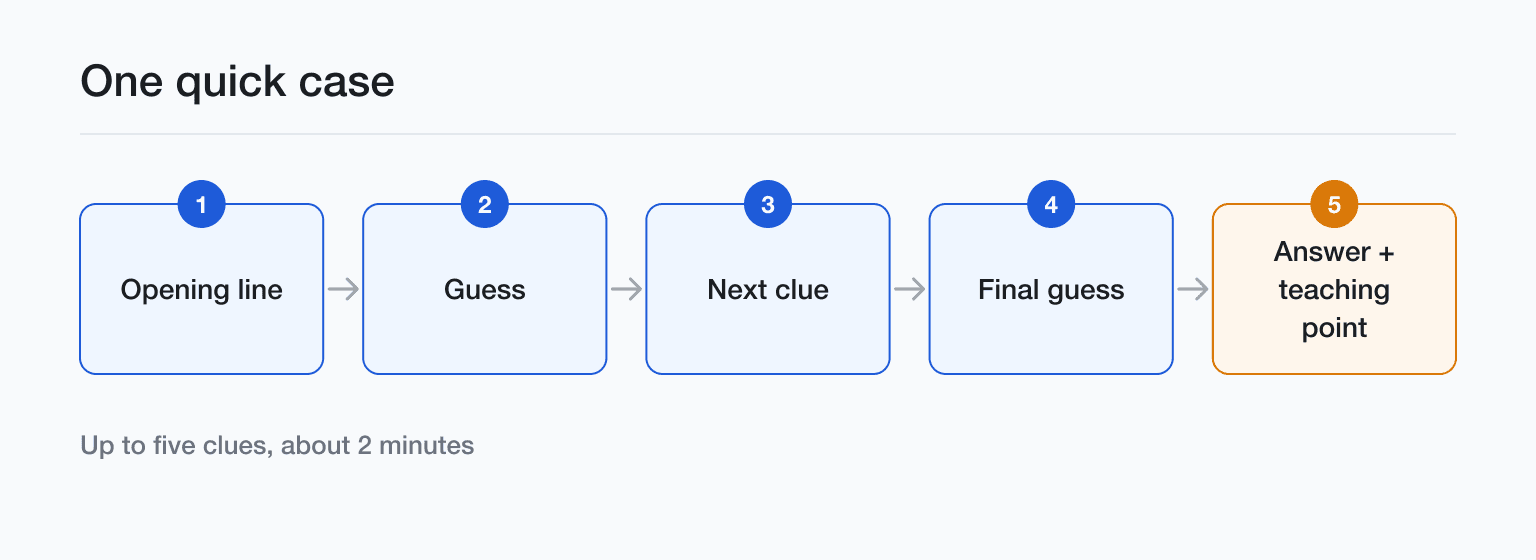
One line, up to five clues, then the answer and a teaching point.
- Read the patient's one line opener.
- Reveal each clue, one at a time, up to five.
- Guess the diagnosis after each clue, update if your view changes.
- See the answer and teaching point, then your streak ticks over.
How Diagnosica helps with this
A two minute daily case that sharpens diagnosis beside spaced review.
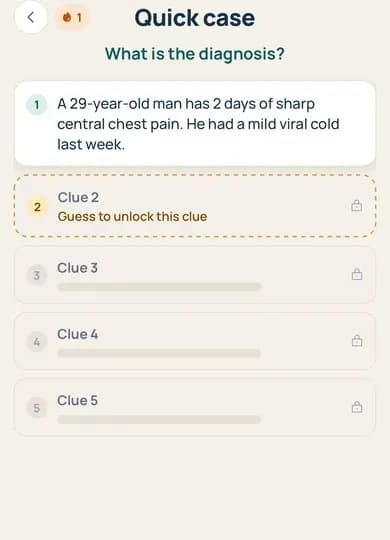
Diagnosica app, quick case screen, as of November 2026.
- The patient's opening line is clue 1.
- Each wrong guess unlocks the next clue.
- Guess on clue 5 is final, then the teaching point.
Simulated patient. Screenshot from Diagnosica, November 2026.
RemNote: notes and flashcards in one app
RemNote is the closest true alternative if you want lecture notes and cards in the same place. It keeps notes and flashcards together with spaced practice, and a free plan with unlimited cards, useful if you want one workspace without ditching Anki.
As of November 2026, RemNote Free is $0 with unlimited notes and flashcards, plus 3 annotated PDFs, per RemNote's pricing page. Pro is $8 a month, $96 billed yearly. Pro with AI is $18 a month, $216 billed yearly.
Who should skip it: if your Anki setup already works and your notes live elsewhere, moving stacks will cost time for little gain. Keep Anki for spaced review and add RemNote only if you want typed lecture notes and cards side by side.
Mochi and Brainscape: lighter flashcard apps
If Anki's setup is the problem rather than flashcards themselves, Mochi and Brainscape are simpler card apps that keep spaced practice. They suit students who want less setup and faster starts.
Mochi is free forever and needs no sign-up, as of November 2026 on Mochi's pricing page. Mochi Pro is $5 a month billed annually, and sync across devices is Pro only. Brainscape's pricing page lists Basic free forever with spaced repetition and 2,500 pre-loaded flashcards, and Pro at $7.99/mo, as of November 2026.
Pick based on friction and time to first review: Mochi favors zero-account starts on one device, Brainscape favors preloaded banks and built-in spaced repetition, and Anki still wins for control:
- Mochi fits if you want one-device starts without an account.
- Brainscape suits preloaded decks and built-in spaced repetition.
- Anki wins for free desktop and Android and deep control.
How to choose what to add beside Anki
To choose what to add beside Anki, pick by the job. Keep Anki for memory, then add one format that makes you use what you remember, like timed vignettes or two minute cases that force retrieval and decision making.
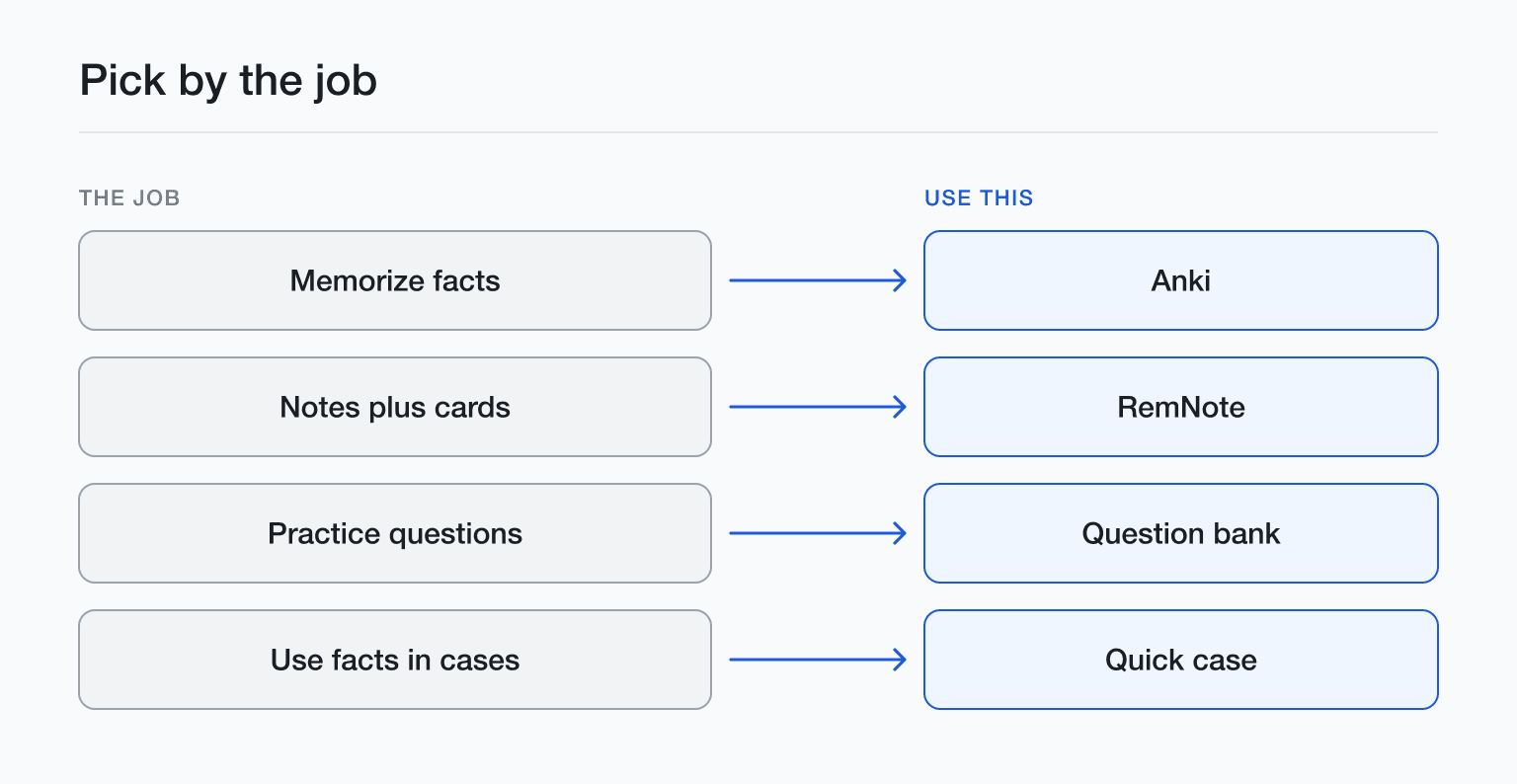
Start from the job, not the app.
Use this quick map from job to tool, and be clear about your bottleneck:
- Memorize facts with Anki on desktop and Android.
- Notes and cards live together in RemNote.
- Apply to vignettes with a Qbank like AMBOSS.
- Short cases need a quick case for applied recall.
For product examples for each lane and what they do, without switching your deck, see study tools beyond flashcards. Anki desktop is free and Android too, so you're adding formats beside spaced review, not replacing it.
If you only change one thing, keep a daily quick case beside your deck to force applied recall in about two minutes.